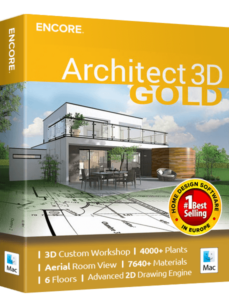
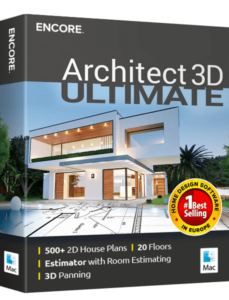
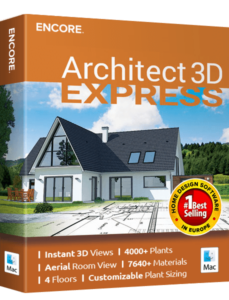
Choose The Mac Version That's Right For You!

Experiment with a new kitchen or office layout, a new room in your house or design new landscaping alongside your terrace. The only limit is your imagination.
+ Home Design

The new Architect 3D product has introduced several features to enhance user experience in design and planning. The Advanced 2D Drawing Engine improves precision in creating 2D plans, while Custom Rich Text enables more personalized text formatting. The 3D Cutaway Tool offers a unique perspective by slicing through structures to view interior layouts. Double Doors and Mounting Options expand customization for entryways, and Advanced Floor Management provides sophisticated control over floor plan designs.

Floor Plan Trace assists in digitizing physical plans into the software, and 1-Click Custom Room Additions roofs simplifies the process of adding new rooms with roofs. An Online Training Center is available for learning and support. Foundation Planner, HVAC Planner, and Electrical Planner are specialized tools for planning essential home systems. The Estimator with Room Estimating helps in budgeting and material estimation.

Automatic and Custom Roof Tools facilitate roof design, complemented by Automatic Gables and a Dormer Tool for creating various roof styles. Aerial Room View (3D) provides a bird’s-eye view of room layouts. The software supports both Metric and Imperial Measurements for global usability. Framing, Baywall, and Curved Wall Tool enhance structural design capabilities, and the Room Addition Tool makes expanding existing plans more efficient. These features collectively aim to provide a comprehensive and user-friendly architectural design experience.

Advanced 2D Drawing EngineProvides a powerful drawing engine for creating precise and detailed 2D drawings with a variety of tools and customization options.
Custom Rich TextEnhances design documentation with customizable rich text, offering extensive formatting options for clear and professional annotations and notes.
3D Cutaway ToolVisualizes the interior structure of designs with detailed 3D cutaway views, allowing inspection of internal elements for correct alignment.
Double Doors and Mounting OptionsOffers a variety of double door styles and mounting configurations for accurate placement and aesthetic appeal.
Advanced Floor ManagementOrganizes and manages multiple floors in a building design with ease, facilitating smooth transitions and adjustments.
  • 20 floors
  • 12 floors
  • 6 floors
  • 4 floors
  • 4 floors
Floor Plan TraceTraces existing floor plans accurately to create precise digital versions, ensuring time savings and accuracy in designs.
2D Tracing House PlansA tool for converting scanned or hand-drawn house plans into precise 2D digital designs.
Online Training CenterProvides access to online resources and tutorials for learning effective use of design tools.
Foundation PlannerDesigns and plans the foundation of buildings, ensuring structural integrity and compliance with building codes.
HVAC PlannerPlans and designs heating, ventilation, and air conditioning systems, optimizing comfort and energy efficiency in buildings.
Electrical PlannerEfficiently designs and lays out electrical systems within buildings, ensuring safety and functionality.
Estimator with Room EstimatingProvides accurate cost estimates for individual rooms and overall projects based on design specifications.
Instant 3D ViewsGenerates 3D views of designs instantly for better visualization and presentation.
Automatic and Custom Roof ToolsDesigns roofs with automatic generation and custom configurations, creating complex and aesthetically pleasing roof structures.
Dormer ToolEasily adds dormers to roof designs, providing additional space and natural light.
Metric and Imperial MeasurementsWorks with both metric and imperial units for measurements in designs, providing flexibility and precision.
Detail ToolsThe Detail Tools let you add dimensions, labels, and notes to your plans for clear and accurate designs.
FramingDesigns and visualizes the framing structure of buildings, ensuring accuracy and stability in construction plans.
BaywallCreates bay walls in designs with ease, adding architectural interest and maximizing natural light.
Curved Wall ToolDesigns dynamic architectural features with curved walls, allowing for creative and unique design elements.
Room Addition ToolSimplifies the process of adding new rooms to existing designs, making it easy to expand and modify layouts.

+ Interior Design

Architect 3D unveils a suite of new interior design features that expand your design possibilities. With a vast selection of 3D objects, you can customize your spaces to your liking. The library includes over 7640 materials, offering a wide range of textures and finishes to suit any style. The Column Tool is ideal for setting architectural accents, while PhotoView allows you to integrate photos into your designs for a more realistic image of the finished space.

For fine-tuning the decor, specialized tools are available, such as the Decor Column Tool and the Cabinet Tool, which enable you to create custom solutions for storage and design. Accessories and window treatments add a personal touch to each room.

In terms of functionality, Architect 3D provides tools for planning cables, phones, and thermostats, ensuring seamless integration into your design. The Security System Tools and Home Automation Tools are cutting-edge and allow you to design a smart home. Finally, the Home Theater feature completes the package, giving you the opportunity to plan a special entertainment area that is both comfortable and technologically sophisticated. These new features in Architect 3D take your interior design to a new level of creativity and functionality.

Included 3D Objects*Access a vast library of 3D objects to enhance your designs.
  • 5469
  • 5469
  • 2044
  • 2044
Over 7640+ MaterialsUtilize a wide range of materials to bring your designs to life with realistic textures and finishes.
Column Tool
PhotoViewEnhance your design presentations with high-quality photo rendering capabilities.
Accessories / Window TreatmentsChoose from a variety of accessories and window treatments to complete your interior design.
Décor Column ToolAdd decorative columns to your designs to enhance the aesthetic appeal.
Cabinet ToolDesign and customize cabinets with various styles, sizes, and configurations.
Cable/Phone/ThermostatPlan and integrate cable, phone, and thermostat placements within your design.
Security System ToolsPlan and integrate security systems into your designs for enhanced safety.
Home Automation ToolsIntegrate home automation systems into your design for modern, smart home features.
Outdoor CabinetThe Outdoor Cabinet is a versatile design feature that allows you to add functional and stylish storage elements to your outdoor spaces.
Home TheaterDesign and plan home theater systems for a cinematic experience in your building.

+ Landscape Design

Architect 3D’s landscape design features offer a robust set of tools for creating the perfect outdoor space. The program includes 2D Plant Symbols to represent a variety of plant species in your design plans. With Customizable Plant Sizing, you can adjust the scale of plants to fit the proportions of your landscape accurately. A vast library of over 4000 plants provides a wide range of flora to choose from, ensuring that you can find the right greenery for any area.

For organizing outdoor areas, Landscape and Patio Groupings allow you to design cohesive and inviting spaces. Topography Tools help you map out the contours of the land, essential for accurate landscape planning. Deck Layout Tools and IntelliDeck Tools facilitate the design of decks that conform to your outdoor space’s specific dimensions and shapes.

Plant Fill features enable you to create lush, filled-out beds with ease, while Irrigation Tools assist in planning an efficient watering system for your garden. Custom Edging and Bed Borders give you the freedom to define distinct areas with unique borders that enhance the overall aesthetic.

For those who love to entertain outdoors, Outdoor Kitchen Custom Cabinets provide the means to design a fully functional kitchen area. Lastly, the Site Planner with Property Line Coordinates is an invaluable tool for plotting out your property’s boundaries, ensuring that all your landscape features fit perfectly within your available space. Together, these features empower you to craft a comprehensive and beautiful outdoor living environment with Architect 3D.

Topography Tools A tool that allows users to create and modify terrain by "spraying" elevation changes, making it easy to design natural landscapes and topographical features.
2D Plant SymbolsOffers a variety of 2D plant symbols to represent different types of vegetation in your landscape designs.
Customizable Plant SizingAllows customization of plant sizes to accurately represent the scale and growth of various plants.
Over 4000+ PlantsProvides a vast library of over 4000 plants to choose from for creating diverse and realistic landscape designs.
Landscape and Patio GroupingsEnables grouping of landscape and patio elements for organized and cohesive designs.
Topography ToolsIncludes tools for designing and modifying the topography of your landscape, such as elevations and slopes.
Measurement UnitsThe Measurement Units feature enables you to customize the display of dimensions throughout your project.
Deck Layout ToolsFacilitates the design and layout of decks, including customizable shapes and materials.
IntelliDeck ToolsOffers intelligent tools for designing complex deck structures with ease.
Global Sun PositioningProvides the ability to position the sun globally to analyze lighting and shadows in your landscape.
Plant FillProvides options for filling areas with specific plant types to create dense vegetation.
Ground Fill RegionThe Ground Fill Region allows you to define and customize specific areas of terrain with different surface materials.
Irrigation ToolsAllows the design and planning of irrigation systems to ensure proper watering of your landscape.
Foundation SlopeThe Foundation Slope feature allows you to create a realistic, angled foundation that follows the natural contour of your terrain.
Site Planner (Property Line Coordinates)Site Planner (Property Line Coordinates) Includes a site planner tool for defining property lines and coordinates.

+ Other Features

Architect 3D© has introduced a suite of enhancements to elevate your design experience. With Custom Workshop Pro, you gain access to over 90 professional CAD tools, enabling the creation of detailed objects and compatibility with leading CAD formats. The Line Text Styles feature offers improved text customization within your plans, ensuring clear communication of details.

The Lightworks™ Photo Rendering lighting tools bring your designs to life with realistic lighting effects, adding depth and realism to your visualizations. The Callout Tool and Plan Labels provide essential annotations and information labels, making it easier to understand and share your architectural vision.

Note Markers are a simple yet powerful way to pinpoint and describe specific aspects of your design, while the new Online 360° Viewer offers an immersive way to explore your projects in a full panoramic view. Lastly, the 2D House Plans are fundamental for a clear representation of layouts, crucial for both design intent and construction details.

These features collectively enhance the functionality and user-friendliness of Architect 3D, making it a comprehensive tool for both novices and professionals in the field of architectural design. Whether you’re planning a new home or remodeling an existing space, these tools are designed to streamline your workflow and bring your ideas to fruition with ease and precision.

To assist you in making an informed decision, we present a comparative analysis of the features available within each downloadable package of Architect 3D©:

Library Navigation and Preview ControlOffers easy navigation and preview of the library content for quick access to design elements.
3D Panning Enables smooth panning in 3D views for better visualization and navigation.
Point Selection Highlight GuidesHighlights selection points for precise placement and modification of design elements.
Drag and Drop into 3DAllows drag and drop functionality to place objects directly into 3D views.
Sky LightThe Skylight feature allows you to add natural lighting elements to your roof designs.
Multiple Monitor SupportSupports multiple monitors for an enhanced and efficient design workflow.
RealmodelProvides realistic modeling features for creating lifelike designs.
Elevation Editor Includes tools for editing and creating detailed elevation views.
2D Symbol LibraryOffers an extensive library of 2D symbols for various design elements.

+ Visualization

In Architect 3D, the visualization features include 2D for flat plan views, 3D for models with depth, 3D Panning for exploring different angles, 3D Animation for dynamic light and shadow effects, Room View for an interior perspective, Cutaway for internal structure insights, Elevation for exterior side views, Aerial for a top-down perspective, Saved 3D Viewports for quick access to specific views, and Clearview/Wireframe for a structural framework view. These tools help in refining and understanding architectural designs efficiently.

2DProvides 2D visualization tools for creating detailed drawings and plans.
3DIncludes 3D visualization tools for creating realistic renderings and views.
3D Panning Enables smooth panning in 3D views for better visualization and navigation.
3D Animation Allows the creation of 3D animations to showcase designs dynamically.
Room ViewProvides detailed views of individual rooms for focused design work.
Saved 3D ViewpointsAllows users to save and revisit specific 3D viewpoints in their designs.
Clearview/WireframeSwitches between clear and wireframe views for different visualization needs.
CutawayCreates cutaway views to reveal internal structures and details.
Elevation Includes tools for creating detailed elevation views.
AerialProvides aerial views of designs for a broader perspective.

+ Interoperability

In Architect 3D, the new interoperability features enhance the software’s versatility. The OBJ File Export allows users to export their 3D models as OBJ files, which are widely used for 3D modeling in other programs and for 3D printing. This feature includes exporting the textures used in the Architect drawing, making it a seamless transition for further use in other applications or for creating physical models1.

The STL File Export is another powerful feature that enables users to convert their 3D models into STL files. These files are commonly used for 3D printing, allowing the creation of solid objects from the Architect 3D models.

Together, these features significantly expand the potential uses of Architect 3D models, from digital applications to tangible, printed objects.

OBJ File ExportExports 3D models in the OBJ file format, widely used for 3D graphics and supported by many applications.
STL ExportExports 3D models in the STL file format, commonly used for 3D printing.
Import DXF/DWG (2D)Imports 2D drawings in DXF or DWG formats for use in designs
Export DXF/DWGExports 2D drawings in DXF or DWG formats for sharing and collaboration.
Punch!® 3D Object ImportProvides the capability to import 3D objects created in Punch! software, enhancing the library of available 3D assets for use in projects.
SketchUp® Object ImportEnables the import of 3D models created in Sketchup, allowing users to incorporate Sketchup assets into their designs.
Import MaterialImports custom materials for use in designs.
Import PlantImports custom plant models for use in landscape designs.
3D Background image ImportEnables the import of images to be used as backgrounds in 3D views, aiding in contextual visualization and scene composition.
Image of 3D View in (BMP, JPEG, PNG, TIFF) ImportAllows users to import images in various formats (BMP, JPEG, PNG, TIFF) to be used as textures, references, or overlays within the 3D view.
Print 3D ViewProvides the functionality to print a rendered 3D view directly from the software, allowing users to create physical copies of their designs for presentation or documentation purposes.

+ Other Features

Architect 3D offers a set of features that enhance the design process, making it more efficient and user-friendly. The Library Navigation and Preview Control allows for easy browsing and viewing of objects before they are placed in the design. Point Selection Highlight Guides aid in accurately identifying and selecting points within the design. With Drag and Drop into 3D, objects can be quickly positioned into the 3D view, simplifying the design experience.

For those utilizing multiple displays, Multiple Monitor Support enables a more expansive workspace, allowing for better organization and multitasking. The Realmodel feature transforms digital designs into physical models, adding a tangible aspect to the design process. The Elevation Editor gives designers the ability to manipulate and customize the vertical dimensions of terrain and structures.

Compatibility with existing plans and collaboration is facilitated by the ability to Import DXF/DWG (2D) files, as well as the option to Export DXF/DWG files to share designs with others. Additionally, the 2D Symbol Library provides a comprehensive collection of design symbols that can be incorporated into 2D floor plans and elevations. Architect 3D’s tools are designed to enhance the creative capabilities of both novice and professional designers.

Custom WorkShop ProIncludes advanced workshop tools for custom design creation.
PhotoViewThe PhotoView Power Tool allows users to import real-world photos and integrate them directly into their design projects
EstimatorThe Estimator Power Tool calculates materials and costs, creating detailed lists from your design.
Line Text StylesProvides various line text styles for annotating designs.
Expandable Fill PatternsOffers expandable fill patterns for detailed and customizable design elements.
Lightworks™/LuxCore™ Photo Rendering Lighting ToolsIncludes advanced lighting tools for realistic photo rendering.
Level LinesIncludes level line tools for creating accurate level indicators in designs.
Plan LabelsOffers plan label tools for organized and clear design documentation.
Note MarkersProvides note markers for adding important notes and annotations.
2D House PlansOffers tools for creating detailed 2D house plans.
  • 1000
  • 500
  • 250
NEW: Compatibility with macOS 26 TahoeSupports macOS 26 Tahoe, delivering optimal performance and stability on Apple’s latest operating system.